![H&D Final new logo HORIZONTAL lockups-05-1.png]](https://support.hypeanddexter.com/hs-fs/hubfs/H%26D%20Final%20new%20logo%20HORIZONTAL%20lockups-05-1.png?height=38&name=H%26D%20Final%20new%20logo%20HORIZONTAL%20lockups-05-1.png)
- Choose a generic email to use that won't be deleted and has its own login to the email service provider (e.g. not a distribution group)
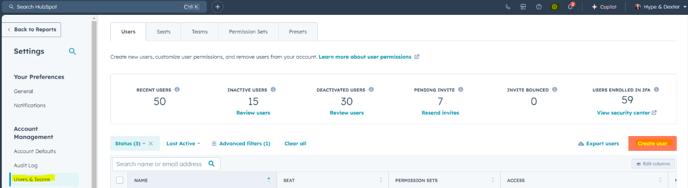
- Log into Hubspot and add the generic email as a user on Hubspot (if not already in there) with super admin access (to begin with, then can be reduced to view only once process is complete)
- Log out of your personal HubSpot account.
- Login to HubSpot using that same generic user login that will be used to install the Apps/Integrations from MyGlue
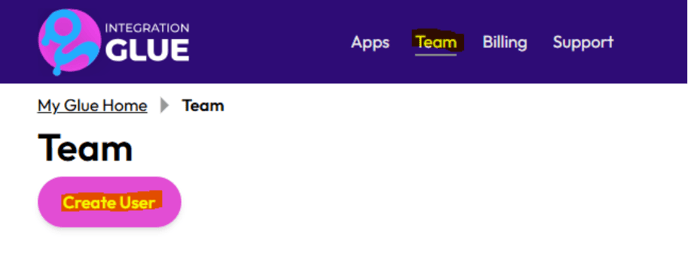
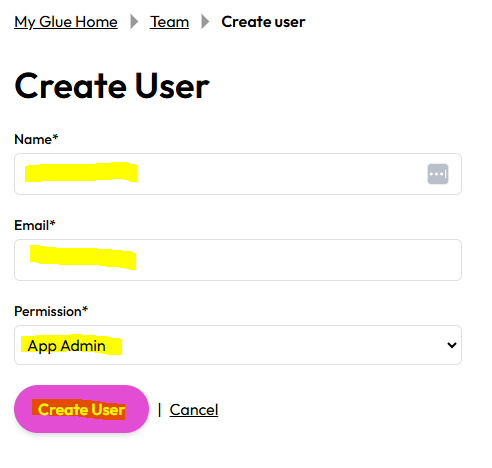
- Log into your personal Integration Glue account and add that generic email as an app admin team member (or provide the email to H&D if you don't have a log in)
- Log out of your personal Integration Glue account
- Log into Integration Glue using the generic email address user
- Click "Apps"
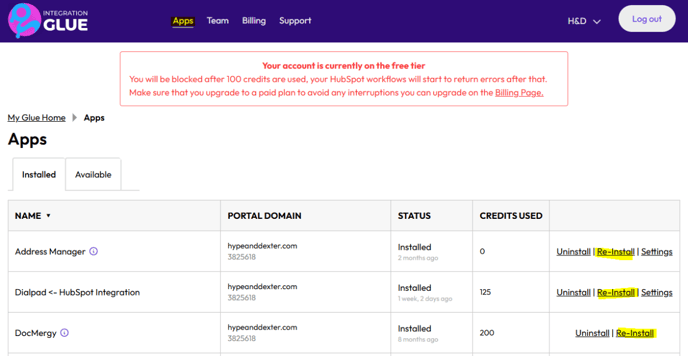
- Click "Re-install" on all apps (re-installing won’t affect set up)
- That’s it 🙂